

The two-screen problem
A trader's day is split across screens. At the desk there are charts on one monitor, FOMO or GMGN on another, X in a third tab, and the phone face down on silent so it stops buzzing. Then you get up for lunch, a school run, the gym, and the laptop is shut while the phone is in your pocket.
Most alerts live in one place only. A Telegram bot pings the phone you are not looking at. A browser alert fires in a tab you closed. An exchange push arrives as one banner and disappears. LFG Alarm sends the same alarm to both:
- At your desk, it rings in the lfg.gm tab, out loud, next to your charts.
- Away from your desk, your phone rings.
- Answer once. Tap I'm up on either and the other stops.
What a day with it looks like
09:30. Ana sits down, opens lfg.gm in Chrome, and leaves the tab pinned. She has three alarms running: SOL at 2x from where she armed it weeks ago (a long shot), a -10% drop on a Base token she holds, and a FOMO trader on Sells.
13:05. She is at lunch, laptop asleep on the desk. The Base token drops 10%. Her phone rings. On Android that is full screen even on Do Not Disturb; on iPhone it is a time-sensitive alert with the alarm's own sound, which respects the silent switch, so her ringer stays on. She looks at the chart on her phone, sees it is the whole sector moving, and decides to wait until she is back.
16:40. Back at the desk, the FOMO trader sells. The tab rings beside her charts and her phone rings at the same moment. She answers on the laptop; the phone stops. She reads the trader's thesis, checks the token, and makes her own call.
That is the whole idea: one set of alarms, and whichever screen she is near is the one that gets her attention.
What you can set
| Alarm | Rings when | Choices |
|---|---|---|
| Price | A token hits a price, moves a percent, or does a multiple | A specific price (rings when it goes above), -5% to -50% or nuke (-99%), 2x to 1000x |
| A pasted wallet | It buys or sells over the floor | $1k, $2k, $5k or $10k (default $5k) |
| A FOMO trader | They buy over the floor, sell anything, or post a thesis | Buys over $5k, $10k or $25k (default $10k) |
| A GMGN KOL | They buy or sell over the floor | $100, $500 or $1k (default $500) |
Wallets on Solana, Ethereum, Base, BNB, Arbitrum and Robinhood Chain can be watched. After a trades alarm rings, it stays quiet for 15 minutes. Nothing is connected or signed: Rocco reads public prices and trades.
How it rings on each screen
- Android: a full-screen alarm, even on Do Not Disturb.
- iPhone: a time-sensitive alert with the alarm's own sound. It can come through Focus but respects the silent switch, so keep the ringer on.
- Laptop: sound in the lfg.gm tab, for up to ten minutes, only while the tab is open and the laptop is awake and online. Open the laptop two hours later and it will not start playing an old alarm. Phone browsers never ring. See alarms on your laptop.
Make it in the app and on the laptop
- Get the LFG Alarm app on your phone and sign in.
- On your laptop, sign in at lfg.gm and tap Yes, ring here when it asks Ring your alarms here too?. That tap is also what lets the browser play sound.
- In the app, on Alarms, tap 📈 Onchain; on the site, tap Create, then Onchain. Pick a token for a price alarm, type an @handle for a trader, or paste a wallet.
- Pick the move or the floor, check what Rocco reads back, choose who it is for, and save. It rings on both.
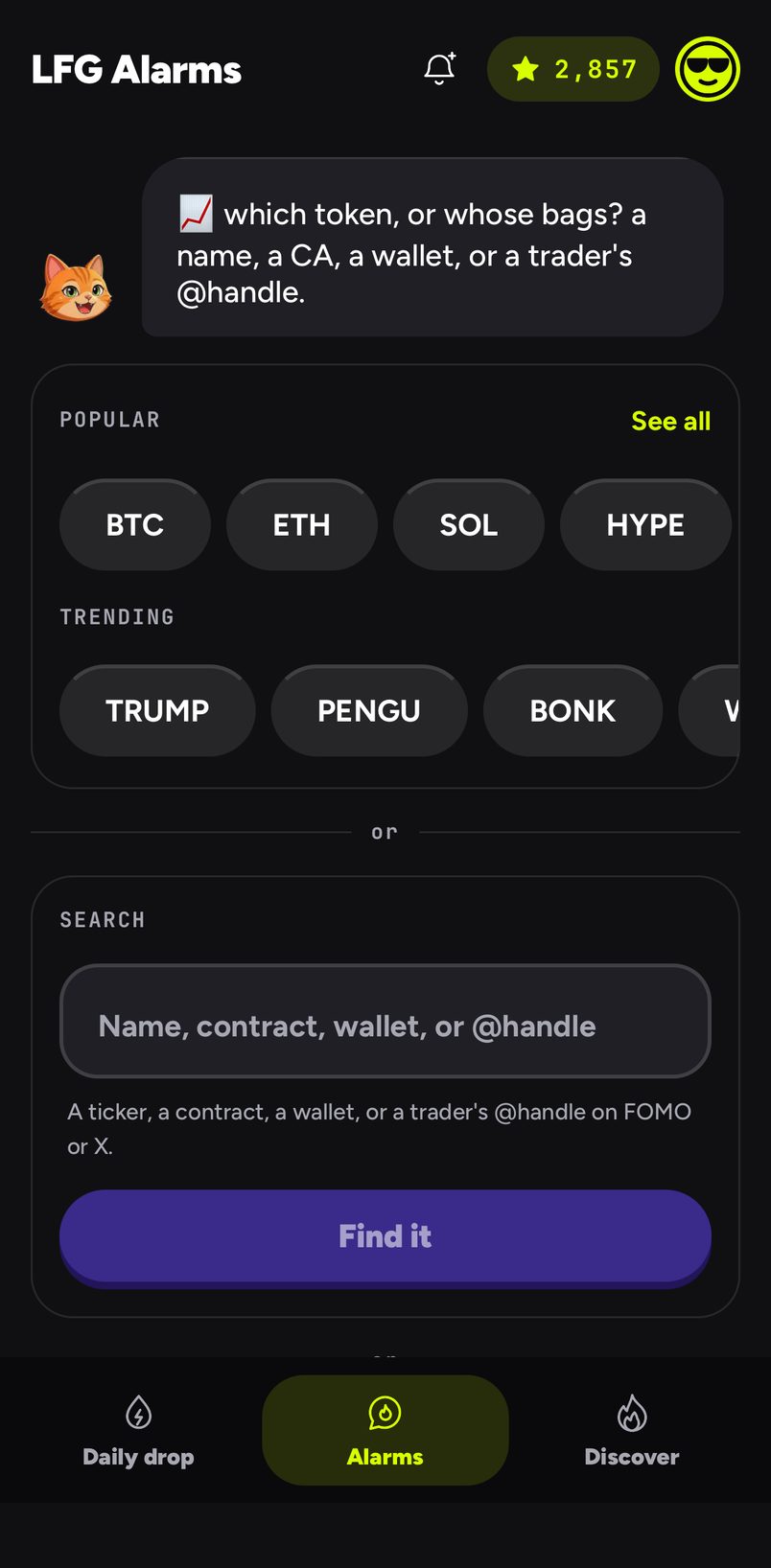
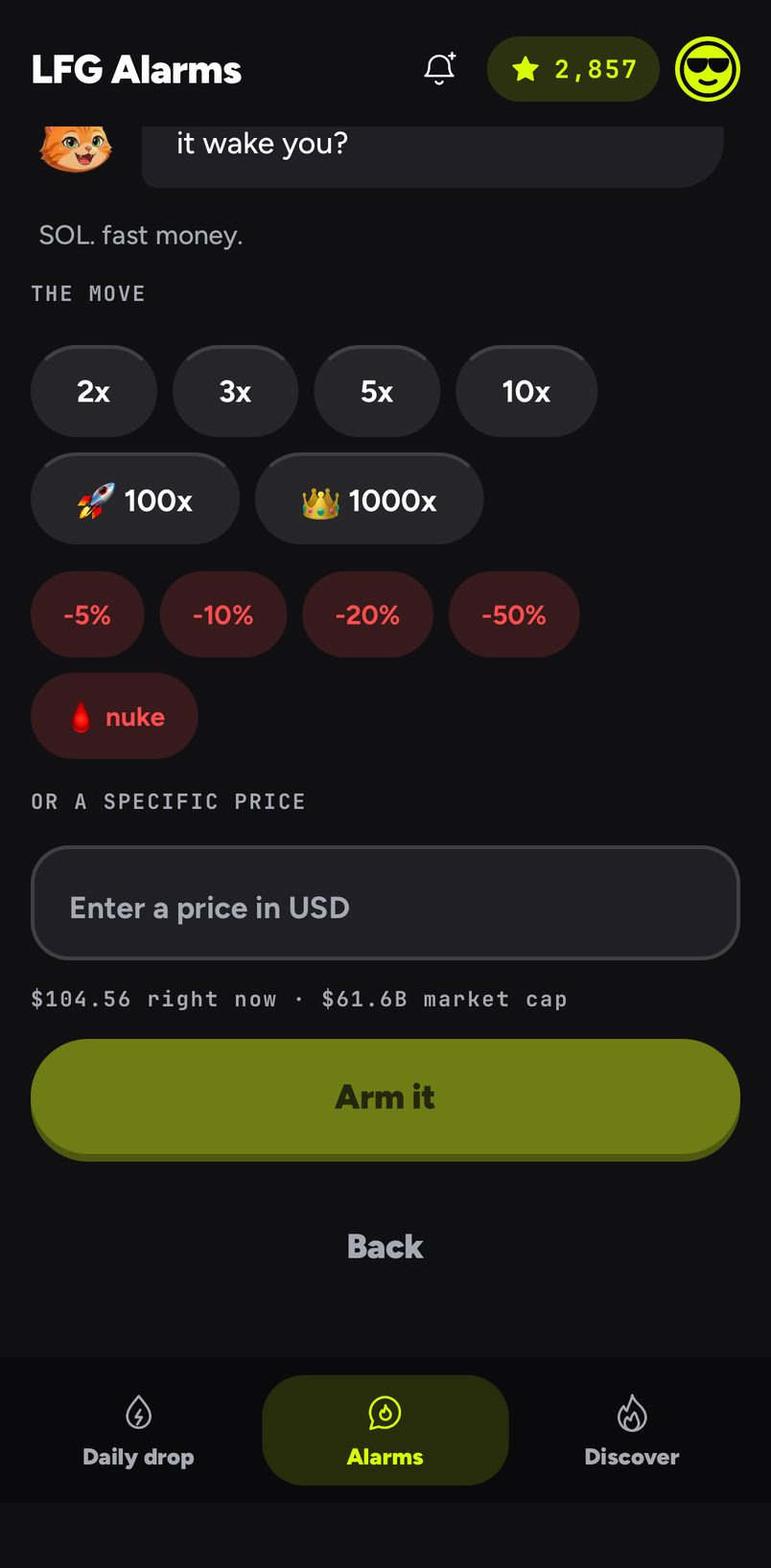
Your AI agent can set price alarms too; wallet and trader alarms are made in the app or on lfg.gm for now.
Bring the chat
A price or trader alarm can be shared with friends, or made public so anyone can ride it from Discover (a pasted wallet can be friends at most). Everyone who joined is rung at the same moment, on their phones and on any laptop with a tab open. Riding someone else's alarm is free. See group alarms.
Common mistakes
- Closing the tab at the end of the day and expecting the laptop to ring. It cannot. The phone still will.
- A specific price below today's price. A specific price rings when the token goes above it. For a drop, pick a percent.
- Leaving the iPhone on silent. Price and trades alarms respect the silent switch on iPhone.
Sources and further reading
- Alarms on your laptop
- Price alarms and trades alarms
- See also Louder FOMO alerts, FOMO trader alarms and Crypto wallet monitoring
LFG Alarm is not affiliated with FOMO or GMGN.
