

Why one trader's move matters
FOMO is a social trading app where profiles, open positions and trades are visible to everyone, and a live feed shows trades from across the network. That transparency is the point: the trades of people you follow are a signal.
Often the signal you are really waiting for is one person. You bought a token because a trader with a big following bought it. Now you are holding it and the question in your head all day is simple: are they still in? When a trader like that sells a small token, the price can move far more than the size of their sale. You want to know in the first minute, not when a friend screenshots it two hours later.
What waiting looks like without an alarm
Most people solve this by watching. The FOMO tab stays open on the laptop. The phone comes out under the table at dinner. You check the trader's profile before bed and again at 4am when you happen to wake up. In-app notifications help, but they are one banner among the dozens a phone gets every day, and they stop after one buzz.
A trades alarm takes the watching off you:
- Buys over a floor. Pick $5k, $10k or $25k (default $10k), so small buys and test clips stay quiet.
- Every sell. A sell from the trader always rings, whatever the size.
- Thesis. When the trader posts a thesis, their reasons for a trade, you can be rung for that too.
- Quiet after a ring. After it rings, the alarm stays quiet for 15 minutes, so a run of trades is one wake-up, not ten.
On Android it rings as a full-screen alarm, even on Do Not Disturb. On iPhone it arrives as a time-sensitive alert with the alarm's own sound; it can come through Focus but respects the silent switch, so keep the ringer on. With an lfg.gm tab open on an awake laptop, it rings there too.
Three ways people use it
Holding what they hold. Sam copied a trader's buy into a Solana token at the weekend and does not want to sit on it blind through the work week. He sets Sells only. On Wednesday at 11:20, mid-meeting, his phone rings. He steps out, opens the token's chart, sees the trader sold about half, reads the replies under the trader's latest post, and decides to trim. No feed-watching for three days, one alarm when it mattered.
Waiting to get in. Lena likes a trader's picks but not their timing, so she wants to see what they buy big and then look for herself. She sets Buys over $25k and Thesis. Most days nothing rings. When it does, she reads the thesis first, then the chart, then waits a day more often than not.
The group that follows the same person. Four friends in a group chat all hold bags from one trader's calls. One of them makes the alarm on Sells and shares it with friends. When it rings at 1:40am, four phones go off together, and by the time the first person has the chart open the others are already in the chat.
The alarm tells you to look, not what to do
Stop losses and trading bots are useful, and some people let AI agents trade for them. Plenty of traders still want to look before they act. When the alarm rings, a sensible order is:
- Open the chart and see how the token is actually moving.
- Check whether the trader posted a thesis or anything on X.
- Look at the comments and the replies.
- Then decide to act, or to sit this one out.
LFG Alarm does not trade, connect to a wallet or ask you to sign anything. It reads public trades and wakes you. Nothing on this page is financial advice.
Make it in the app
- In the LFG Alarm app, on Alarms, tap 📈 Onchain. On lfg.gm, tap Create, then Onchain.
- Type the trader's @handle. A FOMO trader is found first. Or tap Show me the top traders to browse the top 100 on FOMO this week.
- Check the card is the right person, then pick Buys, Sells, Thesis, or more than one.
- Pick the floor for buys, then tap Next.
- Rocco reads it back. Choose who it is for: just you, friends, or public. Tap That's it.
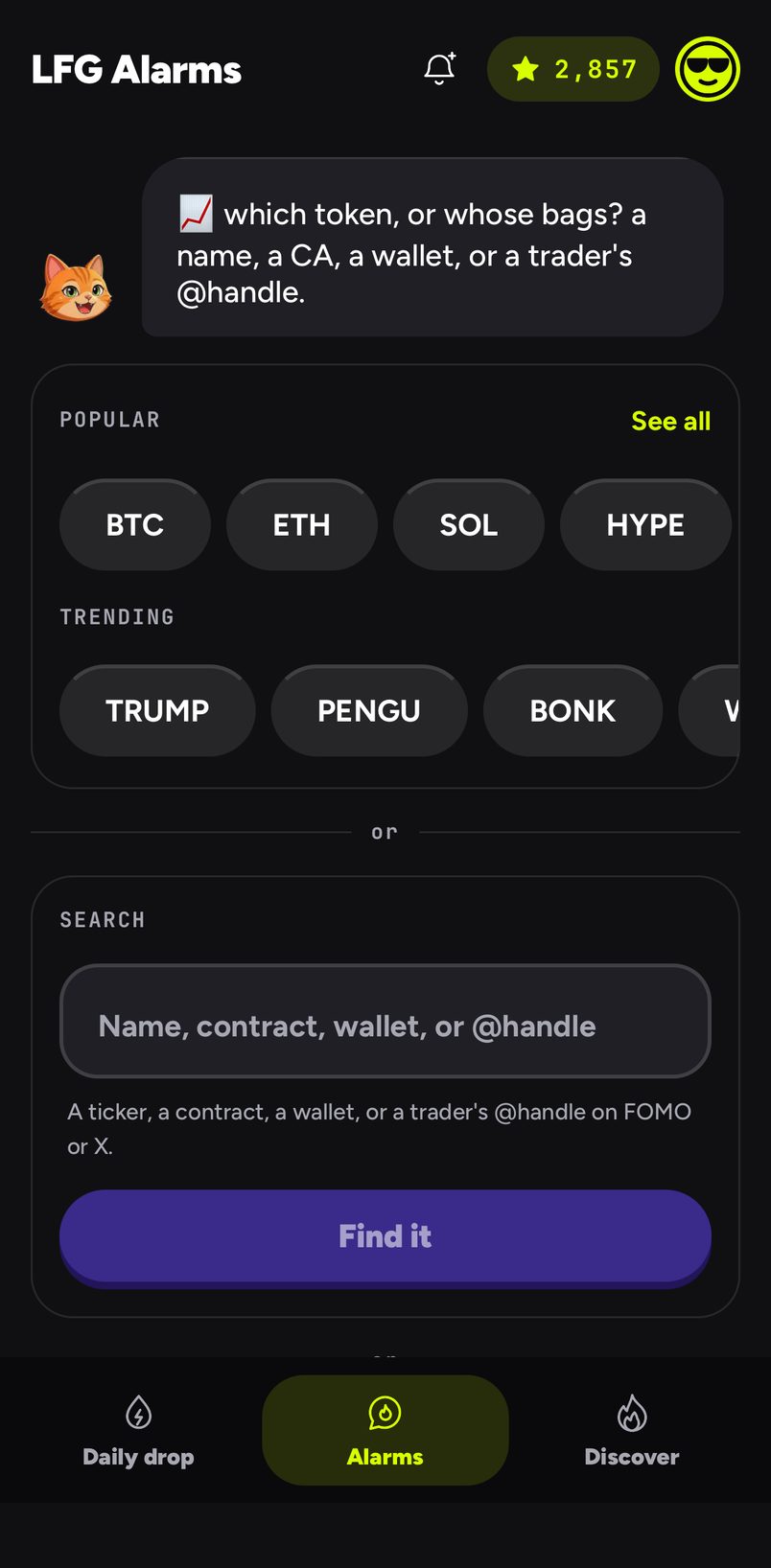
Traders publish their trades themselves, so a trader alarm can be public: anyone can ride it from Discover. Share it with friends and everyone who joined is rung at once. Riding someone else's alarm is free. Trader alarms from an AI agent are coming; for now, make them in the app or on lfg.gm. For the full rules, see Trades alarms.
Common mistakes
- Setting the floor too low on a trader who trades all day. Start at $10k and lower it if it is too quiet.
- Following ten traders at once. Pick the two or three whose moves you would actually get up for.
- Acting on the ring alone. The alarm says something happened; the chart and the comments say whether it matters.
- iPhone on silent. A trader alarm on iPhone respects the silent switch.
Sources and further reading
- FOMO
- Datawallet, Fomo app explained
- Four Pillars, The dawn of public PnL
- Louder FOMO alerts and Trades alarms
LFG Alarm is not affiliated with FOMO.
