

Why FOMO's notifications are worth having
On FOMO, every trade is public, and the app tells you when the people you follow act. That signal is social: it is not a price crossing a line, it is a person whose calls you trust making a move. One trader's buy or dump can move a small token far more than the size of the trade, so being early matters.
The trouble is not the signal. It is the delivery.
When a ping is not enough
- It arrives in a crowd. Phones get a lot of notifications. A 2018 study that logged 278 people's phones found a median of 56 notifications a day. A FOMO ping is one more line in that list, and it buzzes once.
- You are looking at the wrong screen. At your desk the phone is face down and the charts are on the monitor. At the gym the laptop is shut.
- Most traders do not deserve a wake-up. You might follow forty people on FOMO. For thirty-seven of them, a banner is right. For the other three, you want a sound you cannot ignore.
Two scenes
At the desk. Jordan trades from a laptop in the afternoons with FOMO open on his phone beside the keyboard. The phone is on silent so it does not buzz every few minutes. He signs in at lfg.gm, says yes to Ring your alarms here too?, and makes a trader alarm on the one trader he copies most, Buys over $10k and Sells. When that trader sells, the tab rings next to his charts, out loud. He answers it on the laptop and the phone stops too.
Away from it. On Saturday Jordan is out running with the laptop closed. The same alarm rings his phone instead. On Android that is a full-screen alarm, even on Do Not Disturb. On iPhone it is a time-sensitive alert with the alarm's own sound, which can come through Focus but respects the silent switch, so the ringer has to be on. He stops, looks at the chart on his phone, reads the trader's thesis, and finishes the run.
A laptop rings only while an lfg.gm tab is open and the laptop is awake and online, and a laptop ring lasts up to ten minutes. Phone browsers never ring; on a phone, the app does. See alarms on your laptop.
Make it louder in the app
- In the LFG Alarm app, on Alarms, tap 📈 Onchain. On lfg.gm, tap Create, then Onchain.
- Type the FOMO trader's @handle and check the card is the right person.
- Pick Buys, Sells, Thesis, or all three. Buys ring over $5k, $10k or $25k (default $10k); every sell rings.
- Tap Next, choose who it is for, and tap That's it. Rocco watches; you get rung.
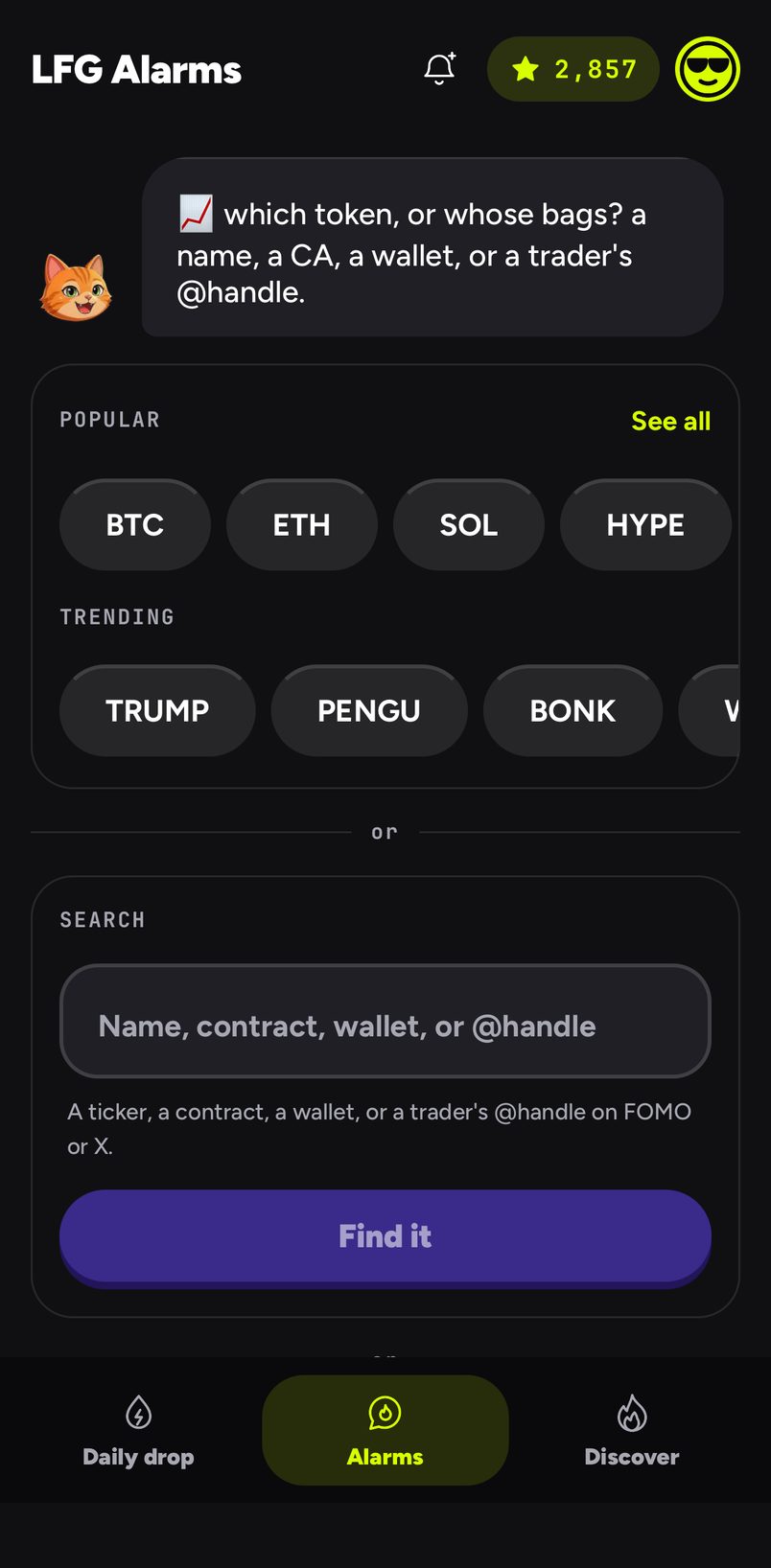
After a ring, a trades alarm stays quiet for 15 minutes, so a trader scaling out in five quick sells is one alarm. Trader alarms from an AI agent are coming; for now, make them in the app or on lfg.gm.
Pick the right floor
| You want | Set |
|---|---|
| Only their conviction buys | Buys over $25k |
| A normal-sized position from them | Buys over $10k (the default) |
| Everything but dust | Buys over $5k |
| To know the moment they exit | Sells (always rings) |
| Their reasons for a trade, when they post them | Thesis |
Beyond FOMO
The same kind of alarm works for more than FOMO traders:
- A GMGN KOL, by handle, over $100, $500 or $1k.
- Any wallet, pasted, on Solana, Ethereum, Base, BNB, Arbitrum or Robinhood Chain, over $1k, $2k, $5k or $10k.
- Any account on X, with a post alarm: describe the post you are waiting for and Rocco rings you when it lands. See an alarm when someone posts.
- A price, when a token hits your number or moves by a percent or multiple. See crypto price alarms.
After it rings
LFG Alarm tells you to look; it never trades and never touches a wallet. Open the chart, read the trader's thesis if there is one, check the replies on X, then decide. Nothing on this page is financial advice.
Sources and further reading
- Pielot et al., MobileHCI 2018: notifications logged on 278 people's phones
- FOMO
- Trades alarms and alarms on your laptop
- See also FOMO trader alarms, crypto alarms on your phone and laptop and KOL and smart money tracking
LFG Alarm is not affiliated with FOMO.
