
Here's the fastest way to fix that. Paste your Posh link into LFG Alarm, drop the alarm's link into a text blast, and everyone who taps it gets a real alarm on their phone before doors. Not one more text to skim past. A phone that rings out loud, in the same second, across your whole list. LFG Alarm is a social alarm clock for iPhone and Android, and it works with the Posh event you already made.
How to ring your Posh guest list
- Publish your event on Posh and copy its link.
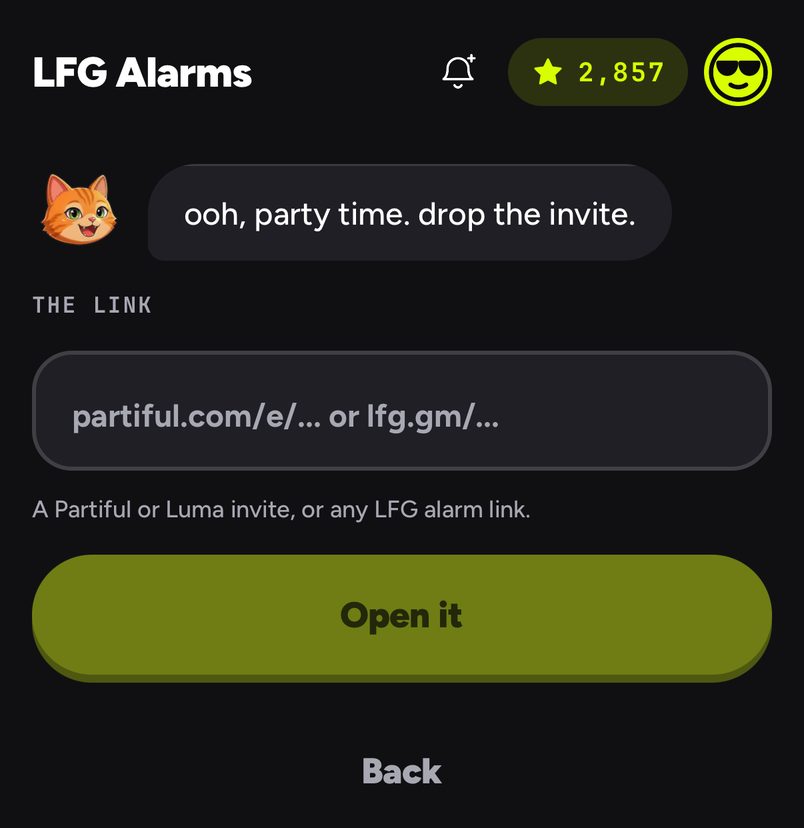
- In LFG Alarm, tap Got a link? and paste it. Rocco reads the name, the flyer, the venue and the start time.
- Under Goes off, pick At start, 30 min, 1 hr or 2 hr. For a 10pm door, 2 hr gives people time to get dressed and get a ride.
- Choose who it's for. Public suits an open party. For a VIP list, use a friends alarm with I approve each one, so only your people get in.
- Tap Create alarm and copy its link. It looks like
lfg.gm/a/<alarm-code>.
Get the link to your guests
An alarm can't ring a phone that hasn't joined, so the link has to reach people. Guests tap it and join in the LFG Alarm app. The best places for it:
- A text blast. In Posh, open your event in a browser, go to Attendees, choose your guests and send an SMS blast. Blasts are capped at 160 characters, so keep it short: "Set your alarm for Saturday: lfg.gm/a/your-code".
- The event page, so everyone who buys a ticket later sees it too.
- The group chat and your story. Your regulars will tap it if you tell them why.
Make a separate alarm for VIPs
Your VIPs need different information from the general crowd, so give them their own alarm. Add a note with the side entrance, the name at the door and the time their table is held till. Set it to ring earlier than the main alarm, and let in only the people on your list.
Your door staff, DJs and promoters can have one too: an alarm that rings two hours before doors, with the load-in details in the note. If anyone sleeps through it, the wake board shows you.
Three nights on Posh
The rooftop launch. Maya sold 200 tickets and knows from experience that 30% don't show. She sends the alarm link in a blast on Thursday, and it rings at 7 on Saturday, two hours before doors, with the address in the note.
The comedy night. The show starts on the dot and late arrivals kill the first set. Andre sets the alarm for 1 hr, so the crowd is on the way when it rings.
The supper club. Twelve seats, one chance to get it right. Lena makes a friends alarm, approves each guest, and writes the dress code and the door code in the note.
Let your AI set it up
Have your AI agent make it.
Paste this into ChatGPT, Claude, Grok or any AI agent that can add a connector, not into the LFG Alarm app. The setup steps come with it: get the LFG Alarm app, connect it to your agent once, and your agent makes the alarm in your account.
Use LFG Alarm to set an event alarm from [your Posh link] that rings 2 hours before it starts, and give me its link and a short message I can text my guest list.
Already have the LFG Alarm app and connected it to your AI agent?
Why it works. You get the alarm and a text ready to paste into a Posh blast, in one request. Connect LFG Alarm to your AI app first: see [AI agents](/agents).
Common mistakes
- Sending the link on the night. Give people a day or two to tap it.
- Making a VIP alarm public. Use a friends alarm so the list stays yours. See Sharing and reach.
- Leaving out the why. "Set your alarm so you don't miss the 11pm set" gets more taps than "join my alarm".
Learn more
Sources and further reading
- Posh support: Sending a text blast
- Posh support: Sending a text blast via the event page
- Posh academy: Send SMS Blasts
LFG Alarm is not affiliated with Posh.