A post alarm in LFG Alarm rings when an account on X posts something that means what you described, or when a Twitch or YouTube channel goes live or posts a video. You write what you are waiting for in your own words, and Rocco reads each new post and rings only for the ones that match.
Also called: X post alert · Twitch live alert · YouTube upload alert
Make a post alarm
On Alarms, tap 👀 Social.
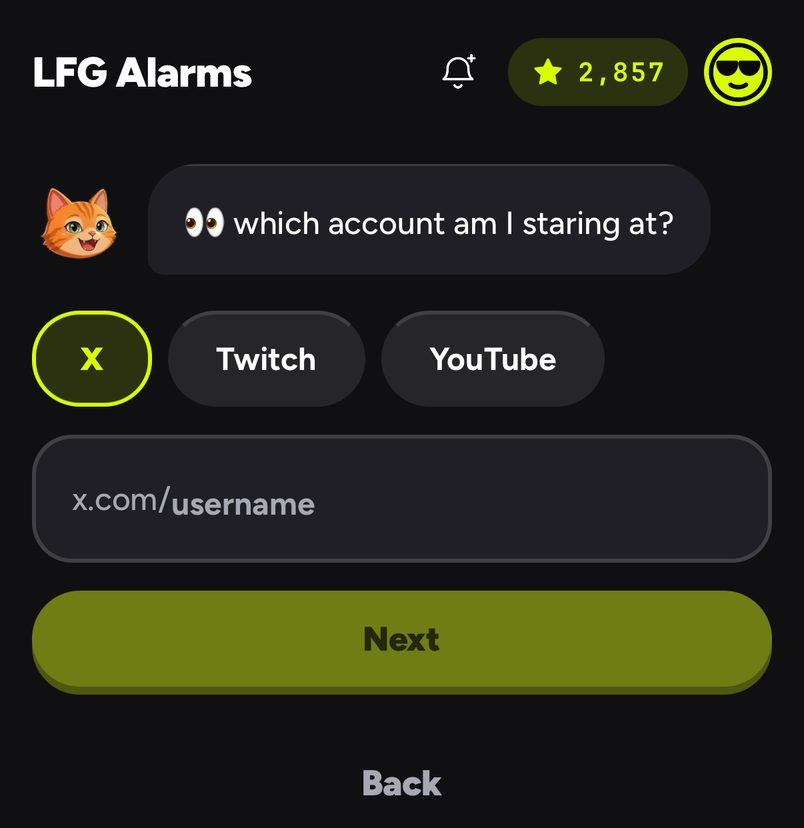
Pick X, Twitch or YouTube, type the username, channel or handle, and tap Next. Pasting a full link works too.
On X: tell Rocco what to watch for under What should wake you?, in your own words, or tap an example: Any post, When the CA drops, "we are live". Tap Next.
On Twitch or YouTube: tap When they go live or When they post a video.
Rocco reads it back as one plain sentence. Choose who it is for under Make it social, then tap That's it, or Edit it to change your words.
Choosing X, Twitch or YouTube and the account to watch
Writing a good rule
Describe the meaning, not a keyword: "announces a launch date" beats "launch".
Be specific about what counts: "posts a contract address for a new token".
Keep one idea per alarm. Make a second alarm for a second idea.
Weak
Strong
"tickets"
"announces the date tickets go on sale"
"new token"
"posts a contract address for a token they are launching"
"live"
"says they are live on a Space or a stream right now"
Examples
A tour drop. X, the band's account, "announces UK tour dates or a ticket link". Public, so other fans can ride it from Discover.
A stream. Twitch, a streamer's channel, When they go live, shared with the friends you watch with.
A launch. X, a founder's account, When the CA drops, private, with a siren so you are up for it at 3am.
Good to know
Rocco checks X about every minute. Twitch tells LFG Alarm the moment a channel goes live; new YouTube videos arrive as YouTube publishes them.
On Android a post alarm rings full screen, even on Do Not Disturb. On iPhone it arrives as a time-sensitive alert with the alarm's own sound, which can come through Focus but respects the silent switch, so keep the ringer on.
Post alarms can be private, friends or public.
questions people ask
Is riding someone's post alarm free?
Yes. Riding someone else's alarm is free.
Do I need an X account?
No. Watching an account needs only its handle.
Does it ring for every post?
Only with **Any post**. Otherwise Rocco reads each new post and rings only when it means what you wrote. See also [An alarm for when someone posts](/alarm-when-someone-posts) and [Creator trend alarms](/creator-trend-alarms). LFG Alarm is not affiliated with X, Twitch or YouTube.