

A quick note if you searched the App Store: the iOS app called "Whale Alert" is a marine app about real whales, made by Conserve.IO. The crypto Whale Alert says in its FAQ that it has "no standalone app in the app stores yet".
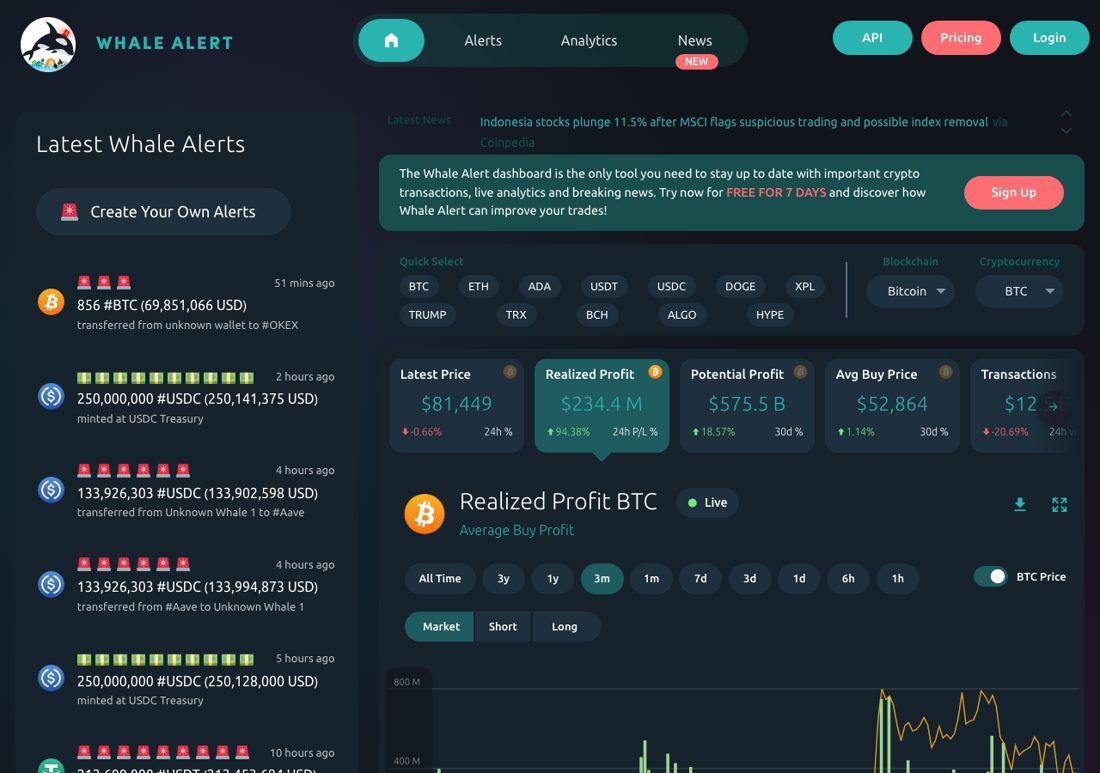
At a glance
| Whale Alert | LFG Alarm | |
|---|---|---|
| What it watches | Large transactions across the market | Wallets and traders you choose, and token prices |
| Filters | Coin, USD size, transaction type, dormant wallets | Buys, sells or both over a floor; a price, percent move or multiple |
| Follow one specific wallet | We could not confirm it | Yes, paste the address |
| Follow a trader by handle | No mention found | A FOMO trader or a GMGN KOL |
| How it reaches you | Browser and web push; email, Slack and Telegram through the API with IFTTT | An alarm with its own sound on your phone |
| Apps | Web, and a web app on mobile | iPhone and Android |
| Price | Alerts $14.95 a month; Alerts, Analytics & News $29.95; API from $29.95; 7-day trial | Free to download; riding someone else's alarm is free |
| Share with friends | Public feeds anyone can follow | Friends alarms ring everyone at once; trader and token alarms can be public |
Where Whale Alert is stronger
- The whole market at a glance. Whale Alert is the best-known name in crypto whale tracking. It watches for large transactions everywhere, so you hear about big moves from wallets you never knew existed.
- Free public feeds. You can follow big transactions without paying anything.
- Dormant wallets. It can alert you when long-quiet wallets wake up.
- An API. Builders can pull its data into their own tools, and route alerts to email, Slack or Telegram through IFTTT.
- Analytics and news on the higher plan.
Where LFG Alarm is different
- You pick who to watch. Paste a wallet on Solana, Ethereum, Base, BNB, Arbitrum or Robinhood Chain and choose a floor: $1k, $2k, $5k or $10k (default $5k). Or follow a FOMO trader by handle (buys over $5k, $10k or $25k, and every sell) or a GMGN KOL (over $100, $500 or $1k).
- It rings. On Android it rings as a full-screen alarm, even on Do Not Disturb. On iPhone it arrives as a time-sensitive alert with the alarm's own sound, which can come through Focus but respects the silent switch; keep the ringer on. In Whale Alert's pages we found no mention of alerts that ring through silent mode or keep ringing until answered.
- A phone app. LFG Alarm is a native app on both stores.
- Calm after a ring. A trades alarm stays quiet for 15 minutes after it rings.
- Friends on the same alarm. Share it and everyone is rung at once.
- Price alarms. Ring when a token reaches a price, moves by a percent or hits a multiple.
- No wallet connection, nothing to sign, no trading in the app.
Reading the tide or watching one boat
Whale Alert is about the tide: the large transactions moving across crypto that might shift the whole market, from wallets you have never heard of. You read it the way you read the news, often with a coffee, sometimes with a custom alert for a coin you care about.
LFG Alarm is about one boat. Ines holds a token where one early wallet still owns a large share. A market-wide feed will not single that wallet out for her, because by market standards its trades are small. A $15k sell from it, though, could move her token a lot. She pastes the address into LFG Alarm on Ethereum, sets Sells over $10k, and goes to sleep. The night it sells, her phone rings at 01:30. She checks the token's chart, then Whale Alert to see whether anything bigger is going on across the market, and decides.
Big picture from one, the specific wallet from the other.
Which one should you get?
- Whale Alert if you want a stream of the biggest transactions across crypto, dormant wallet alerts, or an API.
- LFG Alarm if you already know the whale, wallet or trader you care about, and you want a real alarm, for you and your friends, when they make a big move.
Plenty of people follow Whale Alert's feeds for the big picture and set an LFG Alarm on the few wallets they never want to miss. See Best crypto whale alert apps for more options.
Make it in the app
- On Alarms, tap 📈 Onchain. On lfg.gm, tap Create, then Onchain.
- Paste the whale's address (Solana, Ethereum, Base, BNB, Arbitrum or Robinhood Chain).
- Pick Buys, Sells or both, and a floor of $1k, $2k, $5k or $10k.
- Keep it private or share it with friends, then tap That's it.
Wallet alarms from an AI agent are coming; for now, make them in the app or on lfg.gm.
Sources and further reading
LFG Alarm is not affiliated with Whale Alert.
